What Is Virtual Memory? Paging and Address Translation
Virtual memory gives every process its own private address space, mapped to physical RAM by the OS and CPU — enabling isolation, swapping, and overcommit.
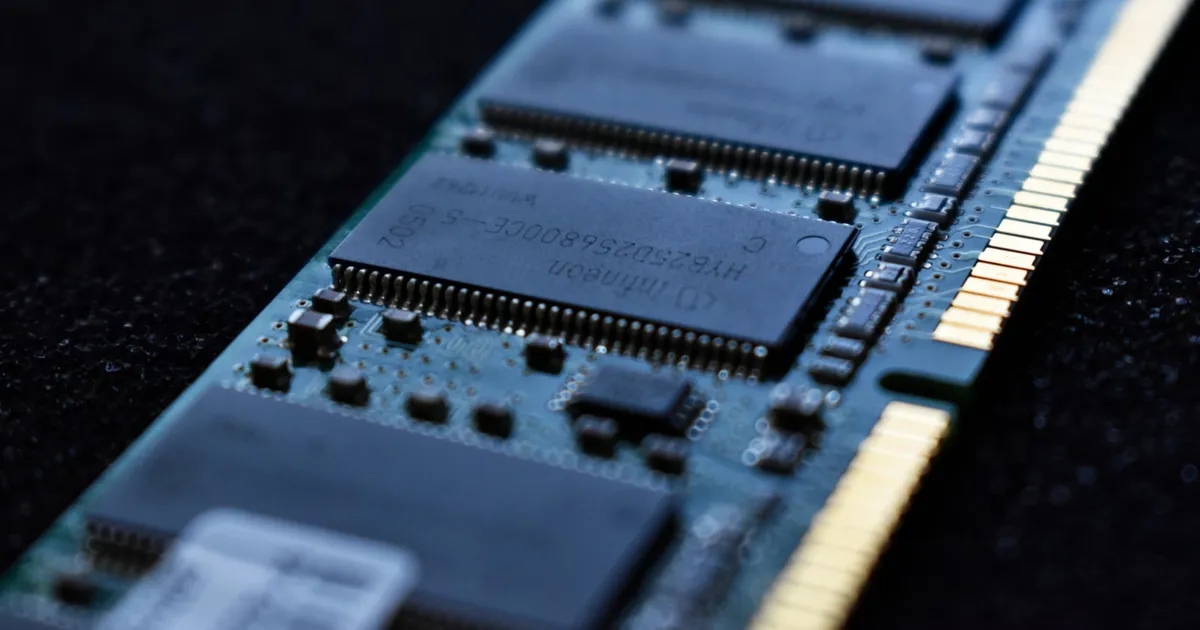
Virtual memory is an abstraction that gives every running process its own private, contiguous address space — independent of where, or even whether, its data actually sits in physical RAM. The operating system and CPU cooperate to translate the addresses a program uses into real physical memory locations, transparently, on every access.
The problem virtual memory solves
Without this layer, every program would need to know the real physical addresses of RAM, and two programs could never safely use the same address range without stepping on each other. Early systems worked exactly this way, and it was as fragile as it sounds — a bug in one program could corrupt another’s memory outright, and running more programs than would physically fit in RAM simply wasn’t possible.
Virtual memory fixes both problems at once. Each process gets to believe it has the entire address space to itself, starting at address zero, with no visibility into what any other process is doing. The operating system maps each process’s virtual addresses to physical RAM (or to disk) behind the scenes, and enforces that one process’s mappings can never point into another’s physical pages. That’s the isolation guarantee modern operating systems rely on for both correctness and security.
Paging: memory in fixed-size chunks
Almost all modern virtual memory systems are built on paging. Both virtual and physical memory are divided into fixed-size blocks called pages (commonly 4 KB, though larger “huge pages” exist for specific workloads). A page table, maintained per process, maps each virtual page to a physical page frame — or marks it as not currently resident in RAM at all.
When a process accesses a virtual address, the CPU’s memory management unit (MMU) walks the page table to find the corresponding physical address. If the page isn’t in RAM — it’s been swapped to disk, or was never loaded — the CPU raises a page fault, and the operating system steps in to load the page (or terminate the process, if the access was actually invalid, like a null pointer dereference). This is the mechanism underneath what looks, from the process’s point of view, like ordinary memory access.
Why address translation needs a cache
Walking a page table on every single memory access would be brutally slow — it can take several sequential memory reads just to resolve one translation. So CPUs cache recent virtual-to-physical translations in a dedicated hardware cache called the TLB, or translation lookaside buffer. A TLB hit resolves a translation in essentially zero extra cycles; a TLB miss falls back to the slow page-table walk. This is a big part of why workloads that jump around a large address space unpredictably tend to run slower than ones that access memory in tight, localized patterns — locality keeps translations in the TLB.
The TLB sits alongside the CPU’s cache hierarchy, and the two interact: some cache designs are physically indexed, meaning an access needs address translation to complete before the cache lookup can even begin, which is one reason TLB misses are so costly relative to an ordinary cache miss.
What virtual memory buys you beyond isolation
Isolation is the headline benefit, but virtual memory enables several other things that fall out of the same mechanism:
- Overcommit and swapping. Because pages can be evicted to disk and reloaded on demand, the operating system can let processes collectively address more memory than physically exists, paging out the least recently used data. This is slow when it happens — disk is orders of magnitude slower than RAM — but it means a memory-hungry process doesn’t have to crash outright when RAM runs tight.
- Shared memory, safely. Two processes can map the same physical pages into their separate virtual address spaces — how shared libraries avoid loading duplicate copies of the same code into RAM, and how memory-mapped files work.
- Copy-on-write. When a process forks, the child can initially share the parent’s physical pages read-only, only copying a page the moment either side actually writes to it. This makes process creation dramatically cheaper than duplicating all memory up front.
- Fine-grained protection. Each page can be marked readable, writable, or executable independently, which is the mechanism operating systems use to catch a large class of memory-safety bugs — including many buffer overflow exploitation techniques — by marking data pages non-executable.
Virtual memory and NUMA
On multi-socket servers, physical memory isn’t uniformly distant from every CPU core — a concept covered in what NUMA is. Virtual memory’s mapping layer is exactly where NUMA-aware allocation happens: the operating system tries to map a process’s virtual pages to physical memory attached to the socket the process is actually running on, since a memory access that has to cross to a remote socket’s memory controller costs meaningfully more latency than a local one. Getting this placement wrong is a common, invisible source of performance variance on large multi-socket systems, since nothing about the virtual address space reveals which physical socket backs it.
The same underlying tradeoff — how far data has to travel to reach the core that needs it — shows up in memory bandwidth vs. latency discussions generally, and virtual memory’s indirection is the layer where a lot of that distance actually gets decided.
The takeaway
Virtual memory gives every process an isolated, contiguous address space and lets the operating system decide, invisibly, where that space actually lives — in which physical page frame, or on disk entirely. Paging is the mechanism, the page table is the map, and the TLB is what keeps translation fast enough that the whole abstraction doesn’t cost more than it’s worth. The payoff is isolation, safe memory sharing, copy-on-write process creation, and the ability to run more than physically fits in RAM — all built on the same simple idea of indirection between the addresses a program uses and the memory that actually backs them.
Keep reading
 Chisato · · 4 min read
 Thermal Interface Materials Explained
Thermal interface material fills microscopic gaps between a chip and its heatsink so heat can actually transfer to the cooler.
Chisato · · 4 min read Clock Speed vs. IPC: What Actually Makes a CPU Fast
Clock speed measures cycles per second; IPC measures work done per cycle. Real CPU performance is the product of both, not either one alone.
 Chisato · · 4 min read
 UMA vs NUMA: Memory Architecture Explained
UMA gives every CPU core equal-latency memory access; NUMA gives each core faster access to its local memory bank. How the two architectures differ.