What Is NUMA? Non-Uniform Memory Access Explained
NUMA gives each CPU its own local memory bank, so access speed depends on which processor is asking. How NUMA nodes and remote access latency work.
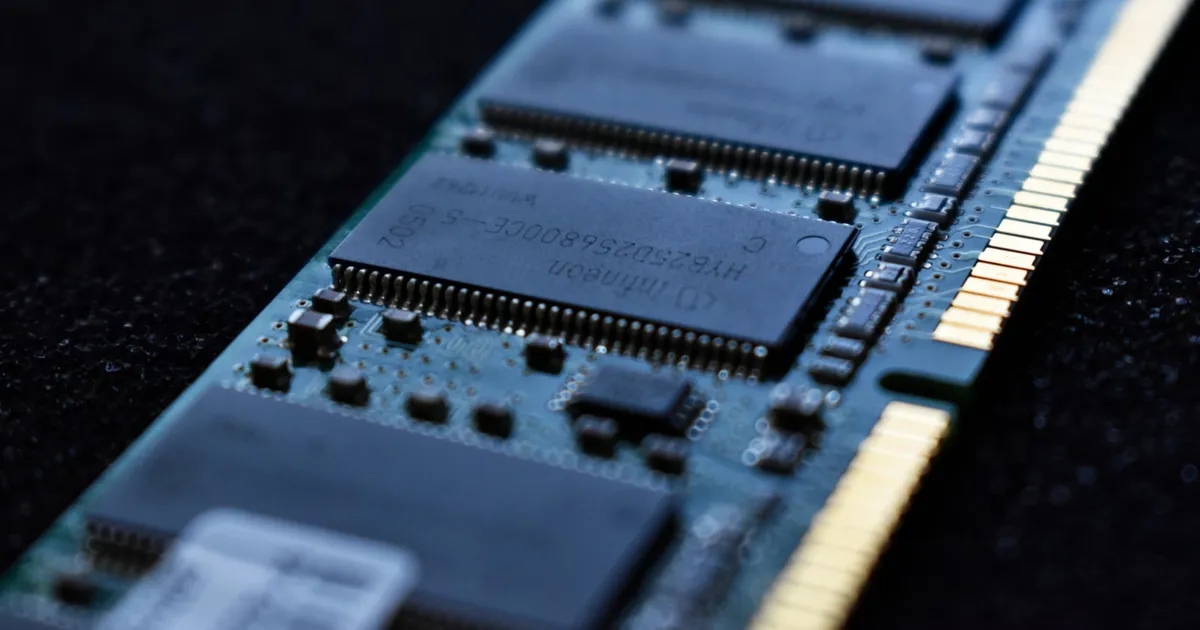
NUMA (Non-Uniform Memory Access) is a memory architecture used in multi-processor systems where each CPU gets its own local bank of memory, and accessing that local memory is faster than accessing memory attached to a different CPU. The “non-uniform” in the name is the whole point: unlike a simpler system where every processor reaches all memory at the same speed, a NUMA system’s memory latency depends on which processor is asking and which memory it’s asking for.
Why uniform memory access stopped scaling
In a single-socket system, or in older multi-processor designs with a shared memory bus, every CPU accesses every byte of RAM through the same bus at (roughly) the same speed — this is Uniform Memory Access, or UMA. That works fine with one or two processors, but as systems scaled to many processors sharing one memory bus, the bus itself became the bottleneck: every CPU competing for the same fixed bandwidth to reach the same memory pool, with contention getting worse as more cores were added.
NUMA solves this by physically splitting memory into multiple banks, each wired directly to one processor (or one group of processor cores, called a NUMA node). A CPU reading from its own attached memory bank — local access — doesn’t have to fight every other CPU in the system for bus bandwidth. Reading from a different node’s memory — remote access — still works, but has to travel across an interconnect between nodes, which adds latency and consumes shared bandwidth that local access doesn’t touch.
NUMA nodes and the interconnect
A NUMA system is organized into nodes, where each node bundles a set of CPU cores with a slice of the system’s total RAM. Nodes are wired together with a high-speed interconnect — AMD’s Infinity Fabric and Intel’s UltraPath Interconnect are two well-known examples — so any core can still reach any byte of memory in the system, it just costs more to reach memory outside its own node. The practical effect is a memory access pattern with two speeds: fast for local, slower for remote, rather than one uniform speed for everything.
This shows up directly in how an operating system schedules work. A NUMA-aware scheduler tries to keep a process’s memory allocations on the same node as the CPU cores running that process, so the bulk of its memory accesses stay local. Get this wrong — a process pinned to node 0’s cores but whose memory was allocated on node 1 — and every memory access pays the remote-access penalty, even though nothing about the CPU itself changed.
Where NUMA shows up
NUMA architectures appear in multi-socket servers, where each physical CPU socket is typically its own NUMA node, and increasingly within single high-core-count chips too, where different clusters of cores on the same die have different distances to different memory controllers. It’s a standard consideration in database servers, virtualization hosts, and high-performance computing, where large memory footprints and many cores make the local-vs-remote distinction impossible to ignore.
Virtualization adds another layer: a hypervisor allocating a virtual machine’s virtual CPUs and memory should try to keep both on the same physical NUMA node, for the same reason an OS scheduler does. A VM whose vCPUs and memory end up split across nodes pays a latency penalty on every access that a correctly-placed VM would avoid entirely — a common, and often invisible, source of “this VM is slower than it should be” in production environments.
NUMA and horizontal scaling
NUMA is fundamentally a technique for scaling a single machine’s compute and memory together, which puts it in a different category from horizontal scaling across multiple machines — NUMA is a form of vertical scaling done carefully, adding more cores and memory to one system while trying to preserve locality between them. Software that’s oblivious to NUMA topology can end up leaving real performance on the table on a large multi-socket server, in much the same way an application that ignores CPU cache locality wastes cycles waiting on memory it could have kept closer.
NUMA-aware software
Most general-purpose applications never need to think about NUMA directly — the operating system handles placement well enough. Where it matters is high-throughput systems explicitly engineered for it: databases that pin worker threads to specific cores and allocate their buffers on the matching NUMA node, or numerical computing libraries that partition large datasets across nodes to keep each thread’s working set local. Getting this right can mean the difference between a workload that scales close to linearly with added cores, and one that plateaus because every added core just adds more contention on the interconnect.
NUMA vs UMA at a glance
| UMA | NUMA | |
|---|---|---|
| Memory access speed | Same for all CPUs | Depends on which node’s memory |
| Bottleneck | Shared memory bus | Inter-node interconnect for remote access |
| Scales to | Few processors | Many processors/cores |
| Software awareness needed | Minimal | Matters for high-throughput workloads |
The takeaway
NUMA exists because a single shared memory bus stops scaling once enough processors are competing for it. By giving each CPU its own local memory and connecting nodes with a dedicated interconnect, NUMA systems trade uniform memory speed for the ability to scale to far more cores — at the cost of software needing to care, at least at the margins, about where its data lives relative to the cores processing it. For most applications this is invisible; for databases, virtualization hosts, and other high-throughput systems, NUMA-aware placement is often the difference between a system that scales and one that quietly doesn’t.
Keep reading
 Chisato · · 4 min read
 Thermal Interface Materials Explained
Thermal interface material fills microscopic gaps between a chip and its heatsink so heat can actually transfer to the cooler.
Chisato · · 4 min read Clock Speed vs. IPC: What Actually Makes a CPU Fast
Clock speed measures cycles per second; IPC measures work done per cycle. Real CPU performance is the product of both, not either one alone.
 Chisato · · 4 min read
 UMA vs NUMA: Memory Architecture Explained
UMA gives every CPU core equal-latency memory access; NUMA gives each core faster access to its local memory bank. How the two architectures differ.