CPU Cache Explained: What L1, L2, and L3 Actually Do
L1, L2, and L3 CPU caches sit between the processor and main memory, trading capacity for speed at each level. How the hierarchy actually works.
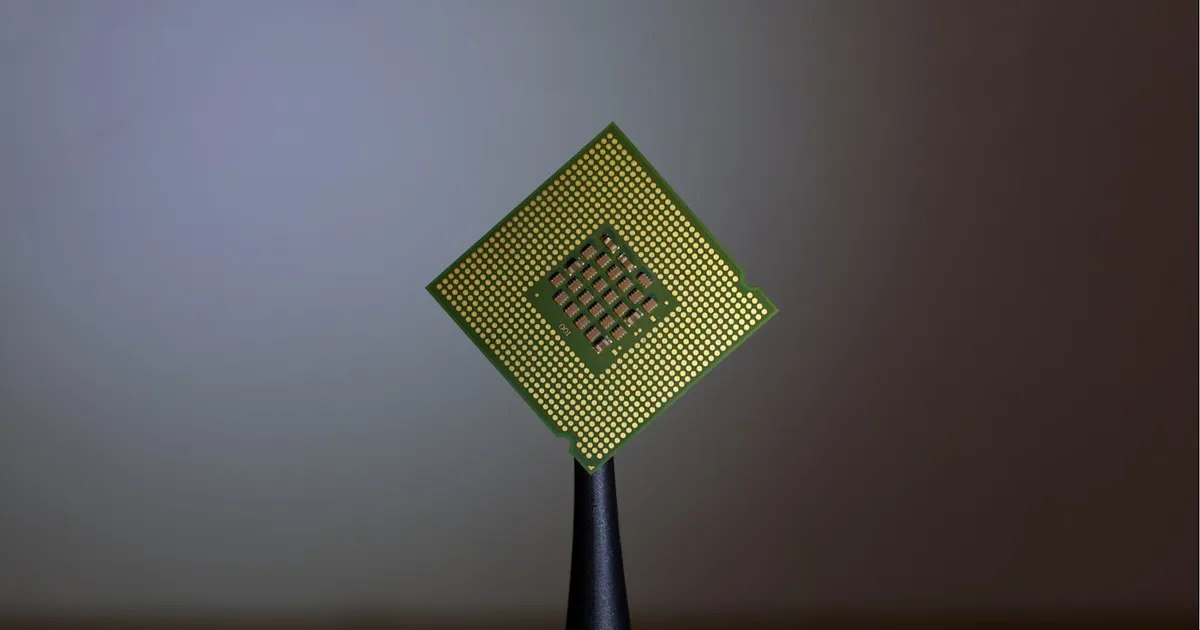
A CPU cache is a small, extremely fast block of memory built directly into or very close to the processor, holding copies of data the CPU is likely to need again soon. Modern chips don’t use just one — they use a hierarchy of caches, commonly named L1, L2, and L3, each trading capacity for speed differently. The reason this hierarchy exists at all comes down to one persistent problem: main memory (RAM) is far too slow to keep a modern CPU fed on every single instruction.
The speed gap the cache hides
A CPU core can execute billions of instructions per second. Main memory, by comparison, takes on the order of hundreds of CPU cycles to respond to a request. If every memory access had to go all the way to RAM, the processor would spend the overwhelming majority of its time simply waiting — a fast engine stalled behind a slow supply line.
Caching works because real programs exhibit locality: they tend to access the same memory repeatedly in a short window (temporal locality) and tend to access memory addresses near ones they’ve recently touched (spatial locality). A loop that runs a thousand times keeps reading the same handful of variables. An array being scanned sequentially touches adjacent memory addresses one after another. Caches exploit both patterns by keeping recently and nearby-accessed data close to the core, where it can be retrieved in a handful of cycles instead of hundreds.
The three levels
Each cache level makes a different tradeoff between speed, size, and how many cores can share it:
| Level | Typical size | Typical latency | Scope |
|---|---|---|---|
| L1 | Tens of kilobytes | ~4-5 cycles | Private to one core, often split into separate instruction and data caches |
| L2 | Hundreds of kilobytes to a few megabytes | ~10-20 cycles | Usually private to one core |
| L3 | Several to tens of megabytes | ~30-70 cycles | Shared across all cores on the chip |
L1 is the smallest and fastest, sitting right next to the core’s execution units — small enough that it can be searched in just a few cycles, which is exactly why it stays so small. L2 is larger and a bit slower, acting as a second line of defense when L1 doesn’t have what’s needed. L3 is larger still, shared across the whole chip rather than dedicated to a single core, which lets it also serve as a coordination point between cores working on related data.
What a cache miss actually costs
When the CPU needs a piece of data, it checks L1 first. If the data isn’t there — a cache miss — it checks L2, then L3, and only falls all the way through to main memory if none of the on-chip caches have it. Each level down is progressively slower, so the cost of a miss compounds: an L1 miss that hits in L2 costs a modest number of extra cycles, but a miss that falls all the way through to RAM can cost hundreds of cycles — long enough that the core may sit largely idle waiting for it, even with techniques like out-of-order execution working to hide some of that latency by finding other independent work to do in the meantime.
This is why cache-friendly code matters even though it isn’t a language feature you write directly. Iterating over an array in memory order rather than jumping around it randomly keeps spatial locality intact and dramatically increases the fraction of memory accesses that hit in cache rather than falling through to slower levels. It’s also why data structure choice has real performance consequences that go beyond asymptotic complexity: a linked list, with its nodes scattered arbitrarily across memory, tends to produce far more cache misses per traversal than a contiguous array of the same logical size, even when both have the same Big O time complexity for the operation.
Cache coherence
Because L1 and L2 are typically private to each core, a multi-core chip has to solve a subtler problem: what happens when two cores each have their own cached copy of the same memory address, and one of them writes a new value? Without a mechanism to handle this, the other core would keep reading its stale cached copy indefinitely.
Cache coherence protocols solve this by tracking the state of each cached line and broadcasting invalidation or update signals across cores when a write happens elsewhere. This machinery runs entirely in hardware, invisible to software, but it’s part of why naive multi-threaded code that has different threads frequently writing to the same cache line — even if they’re logically touching different variables that just happen to sit close together in memory — can perform far worse than expected. That specific pathology has a name, “false sharing,” and it’s a common hidden cost in concurrent programs that otherwise look correctly designed.
Why this matters beyond CPU design
You generally can’t control cache behavior directly from application code — there’s no instruction that says “keep this in L1.” But cache-aware thinking shows up in performance-sensitive code constantly: processing data in contiguous blocks instead of scattered pointers, keeping frequently accessed data structures compact, and being skeptical of asymptotic complexity as the only measure of real-world speed. The same locality principle that motivates on-chip caching also motivates caching at every other layer of a system — see what caching is for how the identical idea reappears at the application and network level, just with milliseconds instead of nanoseconds at stake.
Cache sizes and hierarchy design are also a meaningful part of how chip architectures differentiate from each other, alongside decisions covered in CPU vs GPU vs TPU and the broader push toward chiplet-based designs, where a larger shared L3 cache can be one of the more cost-effective ways to improve real-world performance without shrinking the manufacturing process node.
The takeaway
The L1/L2/L3 cache hierarchy exists to hide the enormous latency gap between a fast CPU core and comparatively slow main memory, exploiting the fact that real programs reuse and cluster their memory accesses. Each level trades size for speed — L1 tiny and fast, L3 large and shared — and a cache miss that falls all the way through to RAM can cost orders of magnitude more than a hit. You don’t program the cache directly, but writing code with good locality, and understanding why identical-complexity algorithms can perform very differently in practice, both trace back to this same hierarchy running quietly underneath every instruction.
Tagged
Keep reading
 Chisato · · 4 min read
 What Is HBM? High Bandwidth Memory Explained
HBM stacks DRAM dies vertically and connects them through a wide interface, trading capacity per chip for far higher bandwidth than standard DRAM.
 Chisato · · 4 min read
 Thermal Interface Materials Explained
Thermal interface material fills microscopic gaps between a chip and its heatsink so heat can actually transfer to the cooler.
Chisato · · 4 min read What Is Dennard Scaling? Why Clock Speeds Stopped Climbing
Dennard scaling held that shrinking transistors kept power density constant, letting clock speeds rise for free. Its breakdown reshaped chip design.