Memory Bandwidth vs Latency: What Slows a Chip
Bandwidth measures how much data memory moves per second; latency measures how long one access takes. Why chips need both, not just one.
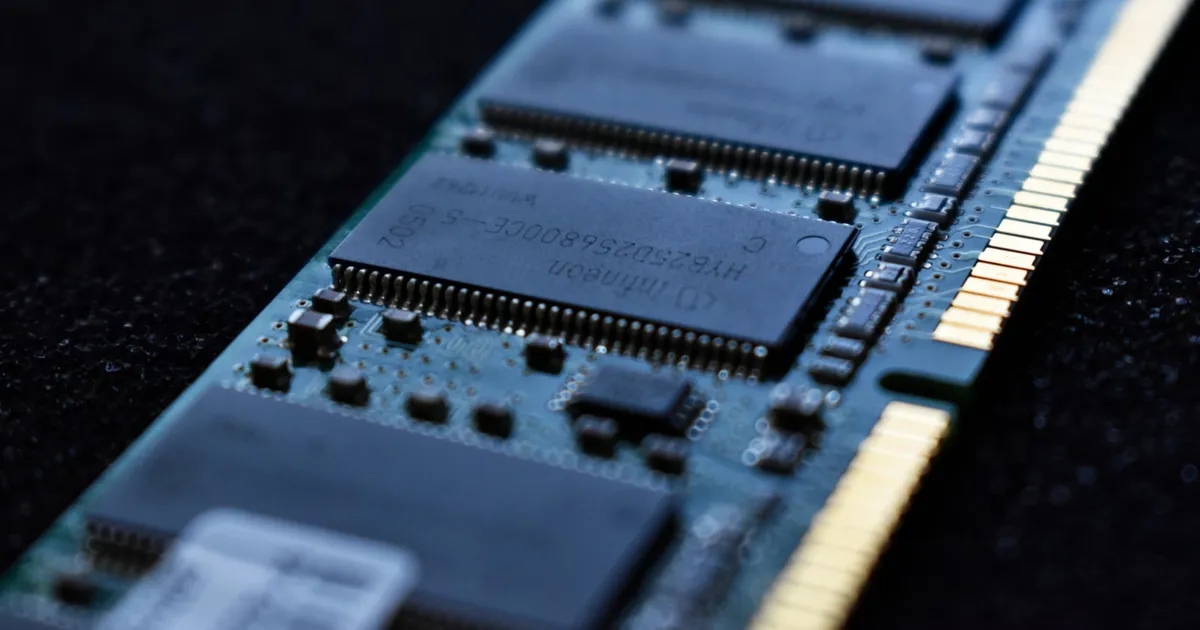
Memory bandwidth is how much data a memory system can move per second, usually measured in gigabytes or terabytes per second. Memory latency is how long a single access takes to complete, from request to the data arriving, usually measured in nanoseconds. They sound related — and they’re both about “how fast is memory” — but a chip can have enormous bandwidth and still feel sluggish if latency is high, or low latency and still bottleneck on throughput-heavy workloads. Which one matters depends entirely on the access pattern.
Bandwidth: the width of the pipe
Think of bandwidth as the width of a pipe carrying water. A wider pipe moves more water per second, regardless of how long any single drop takes to travel through it. Memory bandwidth works the same way: it’s determined largely by how many bits can transfer in parallel per clock cycle and how fast that clock runs.
This is why memory technologies built for throughput — like HBM stacked directly next to a GPU die, or GDDR on a graphics card — use very wide buses. They’re optimized to move enormous, mostly sequential blocks of data (a texture, a matrix, a batch of training data) as fast as possible, because that’s the pattern GPUs and AI accelerators actually generate.
Latency: the length of the pipe
Latency is a different physical constraint: the time between issuing a memory request and the data actually being available, dominated by the physical distance signals travel, the number of intermediate steps (address decoding, row/column access in DRAM), and how far the request has to go — on-die cache, off-chip DRAM, or further still.
A wider pipe doesn’t shorten it — the drop of water at the far end of a wide pipe still takes just as long to arrive as it would in a narrow one, since fill time depends on physical length, not diameter. This is why increasing bandwidth (adding more parallel channels) does nothing to fix a workload that’s latency-bound rather than bandwidth-bound: the requests aren’t waiting on capacity, they’re waiting on the physical round-trip.
Why access pattern decides which one matters
- Sequential, bulk transfers are bandwidth-bound. Streaming a large contiguous block — a video frame, a large matrix multiply’s operands, a bulk memory copy — benefits almost entirely from a wider pipe. The occasional request latency is amortized across a huge transfer, so it barely matters.
- Random, small, dependent accesses are latency-bound. Chasing a linked list, walking a pointer-heavy data structure, or any access pattern where each request depends on the result of the previous one can’t be parallelized away with more bandwidth — the CPU is simply waiting, request after request, for each round trip to complete before it knows what to fetch next.
This is exactly why the CPU cache hierarchy exists: L1, L2, and L3 caches trade capacity for dramatically lower latency, keeping recently used data physically closer to the core so latency-bound code doesn’t have to pay DRAM’s full round-trip on every access. SRAM, the technology behind those caches, is fast specifically because it’s low-latency, not primarily because it’s high-bandwidth — DRAM can still out-throughput it in raw sequential transfer given enough parallel channels.
Why GPUs and CPUs are optimized differently
- GPUs prioritize bandwidth. A GPU running thousands of parallel threads can tolerate individual memory latency reasonably well — while one thread waits on a memory request, thousands of others keep the execution units busy. What a GPU can’t tolerate is a narrow pipe, because its whole design depends on moving huge, mostly predictable blocks of data continuously. That’s the entire rationale behind HBM’s presence on AI accelerators: see CPU vs GPU vs TPU for how these different priorities shape the accelerator’s design overall, and what a GPU is for the underlying architecture.
- CPUs prioritize latency. A CPU generally can’t hide memory latency behind other work as effectively — a single-threaded, dependency-chained instruction sequence often has nowhere else useful to go while it waits. That’s why CPU designs invest so heavily in large caches, aggressive prefetching, and out-of-order execution: all techniques aimed squarely at hiding or avoiding latency rather than maximizing raw throughput.
A quick comparison
| Bandwidth | Latency | |
|---|---|---|
| Measures | Data moved per second | Time for one access to complete |
| Typical unit | GB/s or TB/s | Nanoseconds |
| Improved by | Wider bus, more channels, higher clock | Shorter physical distance, fewer access steps |
| Matters most for | Sequential, bulk transfers | Random, dependent accesses |
| Dominant design priority for | GPUs, AI accelerators | CPUs, general-purpose cores |
Why this matters when choosing hardware
A workload description like “needs fast memory” is incomplete without knowing which dimension it’s bound by. A database doing lots of random point lookups is largely latency-sensitive; adding bandwidth won’t speed it up much. A model doing dense matrix multiplication over huge tensors is bandwidth-sensitive; shaving nanoseconds off round-trip latency barely registers next to how much data has to move. Understanding which one actually gates a given workload is what separates a hardware upgrade that helps from one that doesn’t move the needle at all.
The takeaway
Bandwidth is how much data memory can move per second; latency is how long any single access takes. Sequential, bulk-transfer workloads are bandwidth-bound and benefit from wider buses — which is why GPUs pair with HBM and GDDR. Random, dependency-chained workloads are latency-bound and benefit from shorter physical distance and deeper caches — which is why CPUs lean on multi-level cache hierarchies instead. Neither metric substitutes for the other, and knowing which one actually constrains a workload is the first step in choosing hardware that fixes it.
Keep reading
 Chisato · · 4 min read
 Thermal Interface Materials Explained
Thermal interface material fills microscopic gaps between a chip and its heatsink so heat can actually transfer to the cooler.
Chisato · · 4 min read Clock Speed vs. IPC: What Actually Makes a CPU Fast
Clock speed measures cycles per second; IPC measures work done per cycle. Real CPU performance is the product of both, not either one alone.
 Chisato · · 4 min read
 UMA vs NUMA: Memory Architecture Explained
UMA gives every CPU core equal-latency memory access; NUMA gives each core faster access to its local memory bank. How the two architectures differ.