NVMe vs SATA SSD: What's the Difference?
NVMe SSDs talk directly over PCIe for massive parallel throughput; SATA SSDs are bottlenecked by an interface built for spinning disks. Here's why it matters.
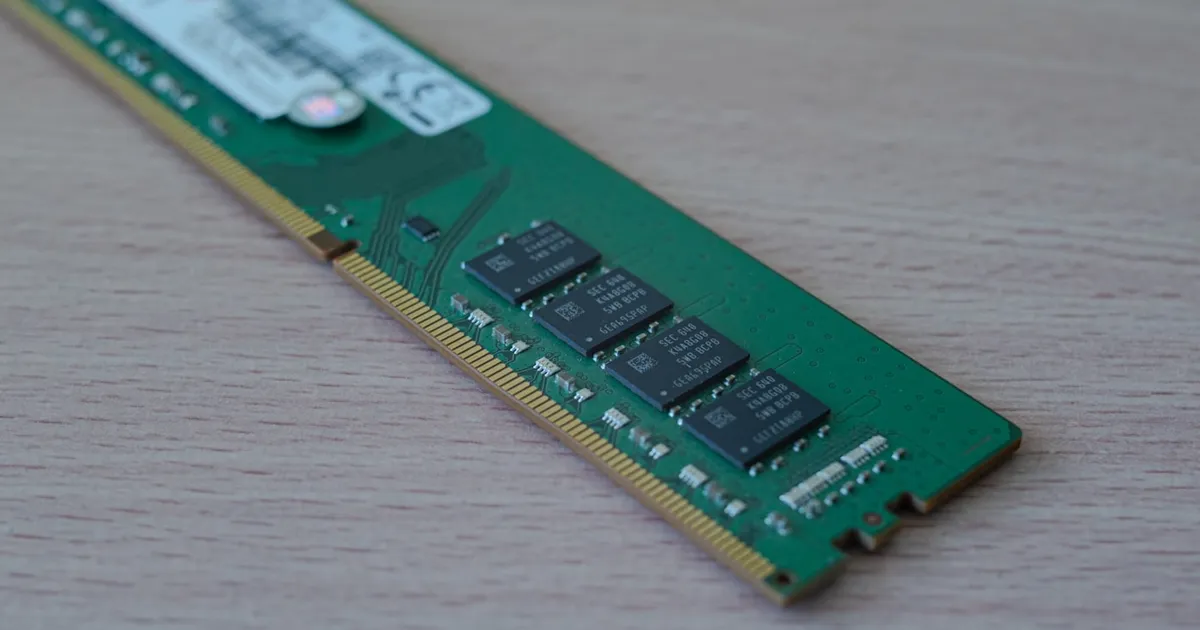
An NVMe SSD connects directly to the PCIe bus and uses a command protocol designed from scratch for flash memory, while a SATA SSD connects through an interface originally built for spinning hard drives — and inherits that interface’s ceiling. The flash chips inside both drive types can be similar; the difference is almost entirely about how much data can move between the drive and the CPU, and how many operations can be in flight at once.
Two different roads to the same chips
SATA (Serial ATA) was designed in the early 2000s for mechanical hard drives, where a single read/write head made high parallelism pointless. The interface tops out at 6 Gbps (SATA III), which after overhead works out to roughly 550-600 MB/s of real-world throughput — a ceiling that early SATA SSDs hit almost immediately, because flash memory has no moving parts to slow it down.
NVMe (Non-Volatile Memory Express) throws that assumption out. It runs over PCIe lanes — the same high-speed bus used by GPUs and network cards — and uses a command set built specifically for solid-state storage. Where SATA supports one queue with 32 commands, NVMe supports up to 65,536 queues with 65,536 commands each. That queue depth is the real story: flash storage is naturally parallel across many chips and channels, and NVMe lets the drive actually exploit that, while SATA’s single queue leaves most of it idle.
Form factor isn’t the same thing as protocol
A common point of confusion: M.2 is a physical connector shape, not a protocol. You can buy M.2 drives that speak SATA and M.2 drives that speak NVMe over PCIe — they look almost identical but perform very differently. Always check the drive’s listed interface, not just its form factor, before assuming you’re getting NVMe speeds. Similarly, “SSD” alone doesn’t tell you which protocol is underneath; it only tells you there’s no spinning platter, the way SSD vs HDD covers.
Comparing the two
| SATA SSD | NVMe SSD | |
|---|---|---|
| Interface | SATA III (AHCI protocol) | PCIe (NVMe protocol) |
| Practical throughput | ~550-600 MB/s | Multiple GB/s, scales with PCIe generation and lanes |
| Command queues | 1 queue, 32 commands | Up to 65,536 queues, 65,536 commands each |
| Typical latency | Higher — AHCI was designed for disk seek times | Lower — protocol overhead is minimal |
| Common form factors | 2.5” drive, M.2 (SATA variant) | M.2, PCIe add-in card, U.2 |
| Best for | Budget builds, capacity-focused storage | Boot drives, databases, video editing, anything I/O-heavy |
Where the difference actually shows up
For sequential tasks like copying a large file, the gap is obvious — NVMe drives can move data several times faster than SATA ones. But the more consistent real-world win is in random I/O and queue depth: workloads that issue many small reads and writes at once, like an OS boot sequence, a database under load, or a build tool touching thousands of files. SATA’s single command queue forces those operations to line up; NVMe’s deep, parallel queues let the drive service far more of them concurrently.
This is part of why database performance discussions increasingly assume fast NVMe storage as a baseline — see how database indexing works for why random-access patterns matter so much to database engines specifically. A storage engine that’s constantly seeking across an index benefits disproportionately from an interface that can queue tens of thousands of outstanding requests instead of one at a time.
PCIe generations matter too
NVMe’s ceiling isn’t fixed — it scales with the PCIe generation and the number of lanes the drive uses. A PCIe 3.0 x4 NVMe drive tops out around 3.5 GB/s; PCIe 4.0 roughly doubles that; PCIe 5.0 doubles it again. This is the same lane-and-generation math that governs GPU bandwidth, as covered in NVLink vs PCIe — more lanes and a newer generation both raise the ceiling, and a drive is only as fast as the slowest link between it and the CPU. Plugging a PCIe 4.0 NVMe drive into a motherboard slot that only supports PCIe 3.0 will cap it at PCIe 3.0 speeds.
Reliability is a separate question
Interface speed says nothing about data integrity. Both SATA and NVMe drives use flash memory with wear-leveling and error correction built into the controller, and neither is inherently more or less reliable than the other because of the protocol alone — that’s a function of the flash quality, controller firmware, and overprovisioning, not whether the drive talks NVMe or SATA. If you’re comparing storage for a workload where correctness matters more than raw speed, look at the same criteria that apply to ECC memory: error detection and correction happen at multiple layers, and the interface protocol is just the pipe data travels through.
Do you actually need NVMe?
For a general-purpose laptop doing web browsing and document editing, the difference between SATA and NVMe is often invisible — the bottleneck is somewhere else entirely. For a workstation build, gaming PC, or any database or build server where I/O queue depth matters, NVMe’s advantage compounds with every concurrent operation. Cost has converged enough that many current systems default to NVMe for the primary drive and reserve SATA, if at all, for bulk secondary storage where raw capacity per dollar matters more than speed.
The takeaway
SATA and NVMe SSDs can use similar flash chips, but the interface around them is not similar at all: SATA inherits a single-queue protocol built for mechanical disks, while NVMe was designed from the start for flash’s natural parallelism, running over PCIe with queue depths thousands of times larger. The gap is most visible under random, concurrent I/O — databases, boot drives, build systems — and least visible in everyday single-file, low-concurrency use. Check the listed protocol, not just the M.2 form factor, before assuming a drive gets NVMe speeds.
Tagged
Keep reading
 Chisato · · 5 min read
 What Is RAID? RAID Levels Explained
RAID combines multiple drives into one logical unit for redundancy, speed, or both. How RAID 0, 1, 5, 6, and 10 trade off capacity, speed, and safety.
 Chisato · · 4 min read
 Thermal Interface Materials Explained
Thermal interface material fills microscopic gaps between a chip and its heatsink so heat can actually transfer to the cooler.
Chisato · · 4 min read Clock Speed vs. IPC: What Actually Makes a CPU Fast
Clock speed measures cycles per second; IPC measures work done per cycle. Real CPU performance is the product of both, not either one alone.