What Is RAID? RAID Levels Explained
RAID combines multiple drives into one logical unit for redundancy, speed, or both. How RAID 0, 1, 5, 6, and 10 trade off capacity, speed, and safety.
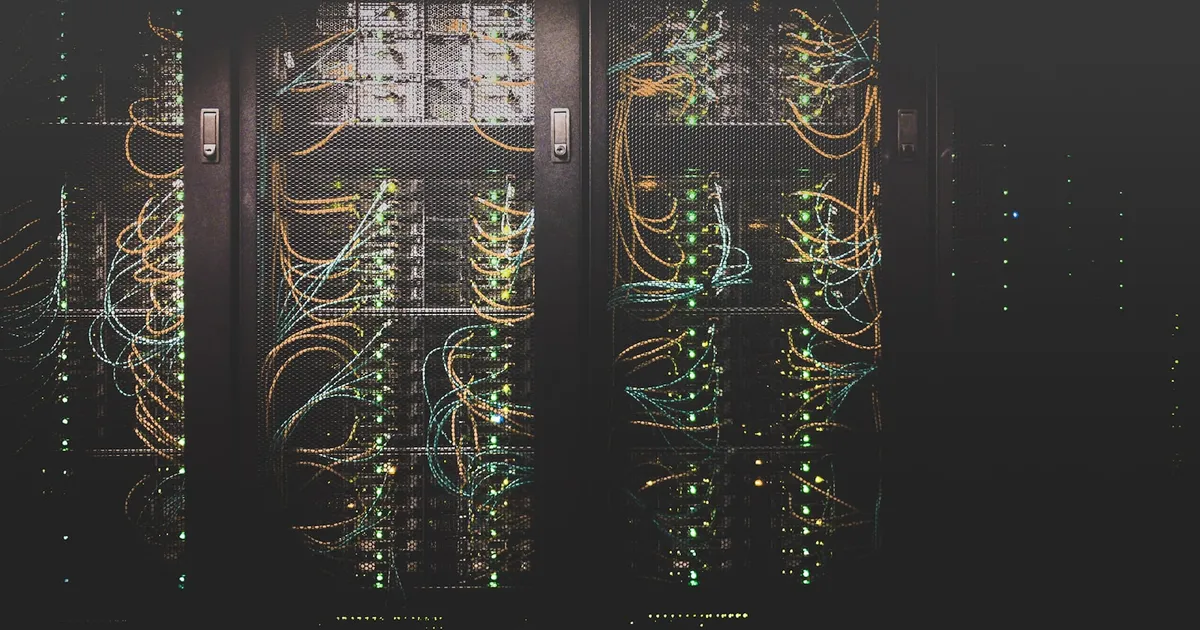
RAID (Redundant Array of Independent Disks) combines multiple physical drives into a single logical storage unit, arranged in one of several standardized patterns — called RAID levels — that trade off capacity, performance, and fault tolerance in different ways. The core idea across every level is the same: spread or duplicate data across more than one drive so the array as a whole behaves differently, and often more reliably, than any single drive could on its own.
Why not just use one big drive
A single drive is a single point of failure — when it dies, everything on it is gone unless you have a separate backup. It’s also a bottleneck: one drive can only read and write as fast as its own mechanism allows, whether that’s a spinning platter or a bank of flash cells. RAID addresses both problems at once, though not every RAID level addresses both equally. Some levels are purely about speed, some are purely about redundancy, and some — the more commonly deployed ones — attempt both.
It’s worth being precise about what RAID protects against: hardware failure. It does not protect against accidental deletion, ransomware, or a corrupted filesystem, because those changes get faithfully replicated (or in some cases, made more damaging) across every disk in the array. RAID is not a substitute for backups; it’s a way to keep a service running through a drive failure without immediately reaching for one.
RAID 0: striping, no redundancy
RAID 0 splits data into chunks and writes them across all drives in the array simultaneously — a technique called striping. Because reads and writes happen in parallel across every disk, RAID 0 is the fastest RAID level and uses 100% of the raw capacity of every drive. The tradeoff is total: there’s no redundancy at all, and losing any single drive in the array destroys the entire array’s data, not just that drive’s share of it. RAID 0 is really a performance technique wearing RAID’s name; it should never be used for anything you can’t afford to lose entirely.
RAID 1: mirroring
RAID 1 writes the same data to two (or more) drives simultaneously, so each drive is a complete, independent copy of the others. Read performance can improve, since reads can be served from whichever drive is free, but write performance doesn’t improve — every write still has to complete on every mirror. Usable capacity is the size of a single drive, regardless of how many mirrors you add, since every drive holds the exact same data. RAID 1 tolerates the loss of all but one drive in the mirror set without data loss.
RAID 5: striping with distributed parity
RAID 5 stripes data across at least three drives, like RAID 0, but also computes a parity value for each stripe and distributes those parity blocks across the drives too, rather than dedicating one drive to parity alone. If any single drive fails, the array reconstructs its missing data on the fly from the parity and the surviving drives. This gets you both decent performance and redundancy while only sacrificing the capacity of one drive’s worth of space to parity — a much better capacity efficiency than mirroring, especially as the array grows larger. The tradeoff shows up during recovery: rebuilding a failed drive means reading every other drive in the array in full, which is slow and, on large arrays with high-capacity drives, carries a nontrivial risk of hitting a second failure mid-rebuild.
RAID 6: double parity
RAID 6 is RAID 5’s answer to that rebuild risk: it computes two independent parity blocks per stripe instead of one, so the array survives the simultaneous loss of any two drives. This costs the capacity of two drives instead of one, and write performance drops further, since every write now has to compute and store two parity values instead of one. RAID 6 is common in large arrays specifically because the rebuild window — during which a second failure would be catastrophic on RAID 5 — is a real operational risk once you’re dealing with many large drives.
RAID 10: mirroring and striping combined
RAID 10 (sometimes written 1+0) mirrors pairs of drives, then stripes data across those mirrored pairs. It combines RAID 1’s redundancy with RAID 0’s performance, and rebuilds are fast since a failed drive only needs to be recopied from its direct mirror rather than reconstructed from parity across the whole array. The cost is capacity: like RAID 1, only half the raw drive capacity is usable, since every piece of data is mirrored. RAID 10 is a common choice for write-heavy database workloads where both speed and fast recovery matter more than maximizing usable capacity.
Comparing the common levels
| RAID level | Min. drives | Usable capacity | Fault tolerance | Write performance |
|---|---|---|---|---|
| 0 | 2 | 100% | None | Fastest |
| 1 | 2 | 50% | 1 drive (per mirror) | Same as one drive |
| 5 | 3 | (n-1)/n | 1 drive | Good, parity overhead |
| 6 | 4 | (n-2)/n | 2 drives | Slower, double parity |
| 10 | 4 | 50% | Multiple, depends on layout | Fast |
RAID today: hardware, software, and the cloud
RAID can be implemented in dedicated hardware controllers, in the operating system as software RAID, or — increasingly — abstracted away entirely by cloud storage systems that replicate data across drives and machines using their own schemes, conceptually similar to RAID but operating at a much larger scale. If you’re evaluating cloud storage rather than physical drives, the more relevant question is usually object vs block vs file storage, since managed services handle the underlying redundancy for you. For databases specifically, RAID sits alongside database replication as a durability layer — RAID protects against a single drive failing under one server, replication protects against the whole server failing.
The takeaway
RAID combines drives into an array using one of several standard patterns, and each level makes a different tradeoff between raw speed, usable capacity, and how many drives can fail before data is lost. RAID 0 is pure speed with zero protection, RAID 1 is pure mirroring, RAID 5 and 6 trade some performance for space-efficient parity-based redundancy, and RAID 10 combines mirroring and striping for speed plus fast rebuilds at the cost of capacity. Whatever level you choose, RAID protects against drive failure specifically — it’s not a backup strategy, and shouldn’t be treated as one.
Tagged
Keep reading
 Chisato · · 5 min read
 NVMe vs SATA SSD: What's the Difference?
NVMe SSDs talk directly over PCIe for massive parallel throughput; SATA SSDs are bottlenecked by an interface built for spinning disks. Here's why it matters.
 Chisato · · 4 min read
 Thermal Interface Materials Explained
Thermal interface material fills microscopic gaps between a chip and its heatsink so heat can actually transfer to the cooler.
Chisato · · 4 min read Clock Speed vs. IPC: What Actually Makes a CPU Fast
Clock speed measures cycles per second; IPC measures work done per cycle. Real CPU performance is the product of both, not either one alone.