SSD vs HDD: How Storage Actually Differs
SSDs store data in flash memory chips with no moving parts; HDDs use spinning magnetic platters. How that difference plays out in speed, cost, and durability.
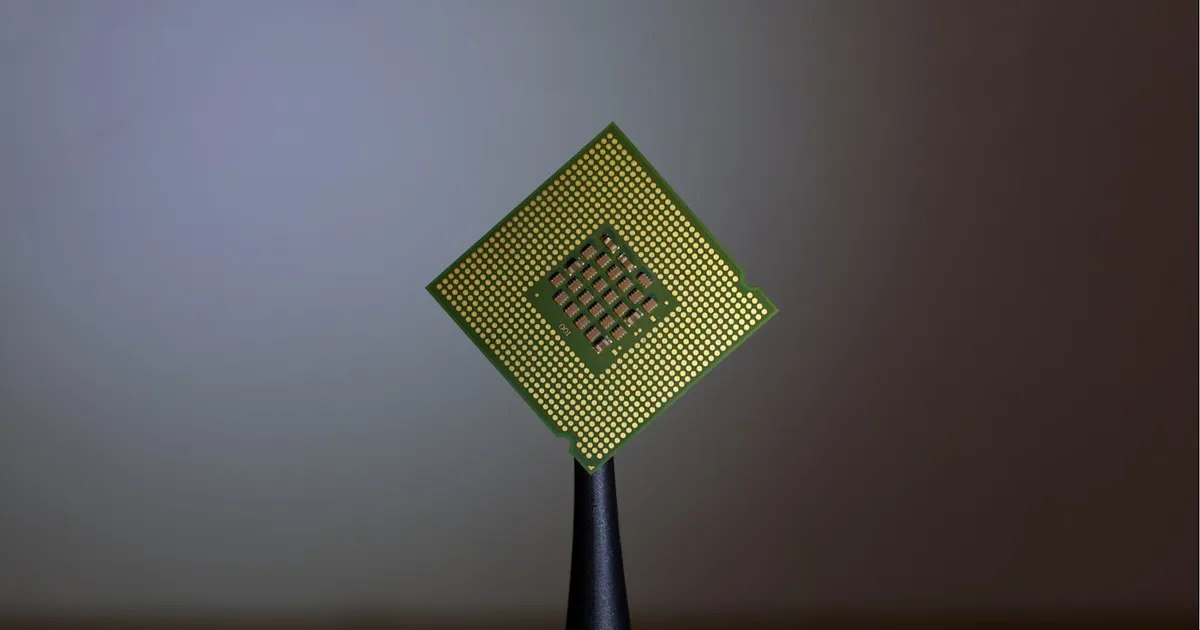
An SSD (solid-state drive) stores data in flash memory chips with no moving parts, while an HDD (hard disk drive) stores data magnetically on spinning platters read by a physical head that moves across the disk. That mechanical difference is the root of nearly every practical distinction between them — speed, durability, noise, power draw, and cost per gigabyte all trace back to whether the drive has to physically move something to reach your data.
How each one actually works
An HDD is, mechanically, a miniaturized record player. One or more magnetic platters spin at a fixed speed (5,400 or 7,200 RPM are common), and a read/write head mounted on an actuator arm physically moves to the correct location on the platter to read or write a bit of data. Fetching data that’s scattered across the disk means the head has to physically seek to each location — this seek time is the dominant cost of random access on an HDD, and it’s why fragmented files and random small reads are so much slower than large sequential reads on the same drive.
An SSD has no moving parts. Data is stored as electrical charge in NAND flash memory cells, organized into pages and blocks, and accessed electronically through a controller chip. There’s no seek time because there’s nothing to physically move — any cell can be addressed about as fast as any other, which is why random access performance on an SSD doesn’t collapse the way it does on an HDD.
Where the difference shows up
| HDD | SSD | |
|---|---|---|
| Mechanism | Spinning magnetic platters, moving head | Flash memory cells, no moving parts |
| Random read/write | Slow — limited by seek time | Fast — no seek penalty |
| Sequential read/write | Good | Very good, often several times an HDD |
| Durability | Vulnerable to physical shock while spinning | Tolerates shock and vibration well |
| Noise and heat | Audible spin-up and seek noise, more heat | Silent, generally cooler |
| Power draw | Higher — motor must keep platters spinning | Lower |
| Cost per gigabyte | Lower | Higher, though the gap has narrowed considerably |
| Write endurance | Effectively unlimited rewrites | Finite write cycles per cell, though modern controllers manage this well for typical use |
The random-access gap is the one that matters most day to day. An operating system boot, launching an application, or a database doing lots of small reads and writes are all dominated by random access patterns, which is why moving from an HDD to an SSD is one of the single biggest perceived speed-ups available for an aging computer — often larger than a CPU or memory upgrade for the same money.
Why this matters for databases and servers
Storage engines are built around the access pattern of the underlying medium. Databases historically favored B-trees partly because they minimize the number of disk seeks needed to find a record — a structure explicitly shaped around HDD seek-time economics. On an SSD, random reads are cheap enough that this constraint matters less, which is part of why some newer storage engines lean on structures like log-structured merge trees that write sequentially and rely on the SSD’s fast random reads to compact and query the result efficiently later.
The same logic applies to write-ahead logging and durability guarantees more broadly — a database’s assumptions about how expensive a random write is, or how safe it is to reorder writes, depend on the storage medium underneath it. Cloud object storage services abstract this away entirely, but the underlying physical medium is still there, still shaping latency and cost even when it’s invisible to the application.
Practical guidance
Use an SSD for anything latency-sensitive: the operating system drive, application binaries, databases, and any workload dominated by random reads. Use an HDD where raw capacity per dollar matters more than speed — bulk archival storage, backups, or large media libraries that are mostly sequential reads. Many systems mix both: an SSD for the hot path and HDDs for cold, bulk storage, sometimes coordinated automatically through tiered storage that promotes frequently accessed data to faster media.
The distinction also matters for reasoning about memory bandwidth vs latency more generally — storage sits several orders of magnitude slower than DRAM, and an SSD closes only part of that gap. Caching frequently accessed data in memory, not just moving it to faster storage, is still the biggest lever for latency-sensitive workloads.
The takeaway
SSDs and HDDs both store data persistently, but an SSD’s lack of moving parts eliminates the seek-time penalty that dominates HDD random access — the reason SSDs feel so much faster for everyday use, even when raw sequential throughput isn’t wildly different. HDDs still win on cost per gigabyte for bulk, sequential-access storage. For anything latency-sensitive — an OS drive, a database, an application’s working set — the SSD’s random-access advantage is worth the higher price per gigabyte in nearly every case.
Keep reading
 Chisato · · 4 min read
 Thermal Interface Materials Explained
Thermal interface material fills microscopic gaps between a chip and its heatsink so heat can actually transfer to the cooler.
Chisato · · 4 min read Clock Speed vs. IPC: What Actually Makes a CPU Fast
Clock speed measures cycles per second; IPC measures work done per cycle. Real CPU performance is the product of both, not either one alone.
 Chisato · · 4 min read
 UMA vs NUMA: Memory Architecture Explained
UMA gives every CPU core equal-latency memory access; NUMA gives each core faster access to its local memory bank. How the two architectures differ.