What Is UEFI? How It Replaced BIOS
UEFI is the firmware that initializes hardware and boots the OS on modern computers, replacing BIOS with faster boot times, larger disk support, and Secure Boot.
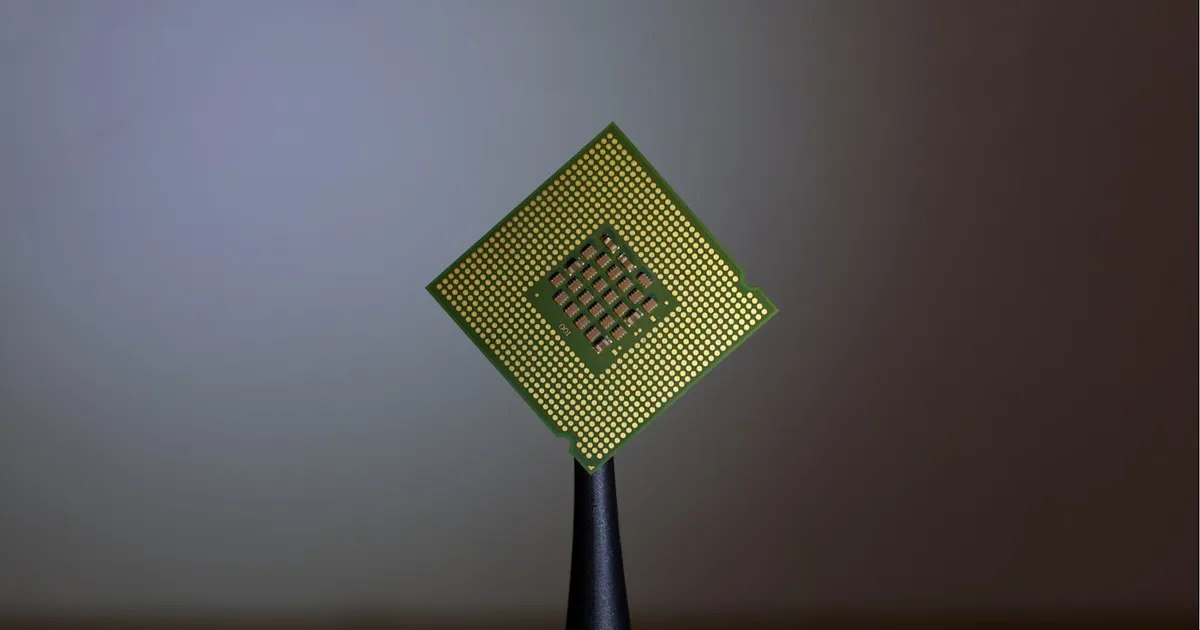
UEFI (Unified Extensible Firmware Interface) is the firmware that runs the moment a computer powers on, initializing hardware and locating an operating system to boot, before the OS itself takes over. It’s the successor to BIOS (Basic Input/Output System), the firmware standard that shipped on PCs for decades, and it’s now the default on essentially all new desktops, laptops, and servers.
What firmware actually does
Before an operating system can run, something has to detect the CPU, initialize memory, enumerate attached storage and peripherals, and figure out where to load the OS from. That job belongs to firmware — code stored on a chip on the motherboard, separate from anything on the hard drive or SSD, that runs before any OS-level software exists. BIOS did this job from the early days of the PC; UEFI does the same job with a modern architecture built around it.
Why BIOS needed replacing
BIOS was designed in an era of far smaller disks and simpler hardware, and several of its limitations became real constraints as hardware scaled up:
- The 2 TB disk limit. BIOS boots from disks using the Master Boot Record (MBR) partitioning scheme, which can’t address more than about 2 TB of storage. UEFI uses GUID Partition Table (GPT), which removes that ceiling.
- 16-bit real mode. BIOS runs in a legacy CPU mode with a 1 MB addressable memory limit, which constrains how sophisticated firmware-level code can be. UEFI runs in 32-bit or 64-bit mode with access to full system memory.
- No native networking or graphics. BIOS interfaces are text-only and limited; UEFI supports higher-resolution graphics, mouse input, and network access directly in the firmware setup screens.
- Slow, serial hardware initialization. BIOS tends to probe hardware sequentially. UEFI’s more structured driver model allows faster, more parallel initialization, which is part of why UEFI systems typically boot faster.
Secure Boot
The most consequential addition UEFI brought is Secure Boot, a feature that cryptographically verifies each piece of boot software — the bootloader, and often the OS kernel — against a set of trusted keys before allowing it to run. If a bootloader or kernel has been tampered with, or isn’t signed by a trusted authority, Secure Boot refuses to load it.
This closes a real attack class: bootkits and rootkits that infect the boot chain before the operating system’s own security software has a chance to load. Secure Boot doesn’t replace OS-level security, but it does establish a chain of trust starting from the very first code that runs, which OS-level defenses can then build on. It’s frequently paired with a Trusted Platform Module, a separate hardware component that stores cryptographic keys and can attest to the integrity of the boot process — UEFI handles verifying the boot chain, while a TPM handles securely storing the keys and measurements involved.
UEFI vs legacy BIOS
| BIOS | UEFI | |
|---|---|---|
| CPU mode | 16-bit real mode | 32-bit or 64-bit |
| Partition scheme | MBR | GPT |
| Max boot disk size | ~2 TB | Effectively unlimited |
| Secure Boot | Not supported | Supported |
| Interface | Text-only | Graphical, mouse-capable |
| Boot speed | Slower, serial init | Faster, more parallel init |
| Networking in firmware | No | Yes (PXE, firmware updates) |
Most current systems ship in a UEFI mode with a “Compatibility Support Module” that can emulate legacy BIOS behavior for older operating systems, though that fallback is being phased out on newer hardware as BIOS-only OSes age out of use.
Where UEFI intersects with storage and firmware updates
Because UEFI understands GPT partitioning natively, it’s also what allows a single disk to boot reliably above the 2 TB mark that constrained BIOS — relevant as both spinning disks and SSDs have grown well past that size. UEFI’s networking support also enables firmware updates and even OS installation over a network (PXE boot) without any OS already present on the machine, something BIOS systems generally needed separate boot media to accomplish.
UEFI firmware settings are also where features like RAID mode for storage controllers, memory timing, and CPU virtualization extensions get configured before any operating system loads — the same settings screen that used to be BIOS setup is, on modern hardware, a UEFI setup utility, often with more capability packed into it.
The takeaway
UEFI is the modern replacement for BIOS: the firmware that initializes a computer’s hardware and hands off to an operating system, now with 64-bit addressing, GPT’s much larger disk support, faster and more parallel hardware initialization, and — most importantly for security — Secure Boot, which verifies the boot chain cryptographically before anything runs. Nearly every current system ships with UEFI by default, and understanding it matters most when configuring boot security, partitioning a large disk, or troubleshooting why an older, BIOS-only OS won’t install on new hardware.
Tagged
Keep reading
 Chisato · · 4 min read
 What Is HBM? High Bandwidth Memory Explained
HBM stacks DRAM dies vertically and connects them through a wide interface, trading capacity per chip for far higher bandwidth than standard DRAM.
 Chisato · · 4 min read
 Thermal Interface Materials Explained
Thermal interface material fills microscopic gaps between a chip and its heatsink so heat can actually transfer to the cooler.
Chisato · · 4 min read What Is Dennard Scaling? Why Clock Speeds Stopped Climbing
Dennard scaling held that shrinking transistors kept power density constant, letting clock speeds rise for free. Its breakdown reshaped chip design.