Snapdragon X2 Elite vs. X Elite: What Actually Changed
Qualcomm's second-generation laptop chip jumps to 18 cores, 5 GHz, and an 80 TOPS NPU. What changed from the Snapdragon X Elite — and whether it matters.
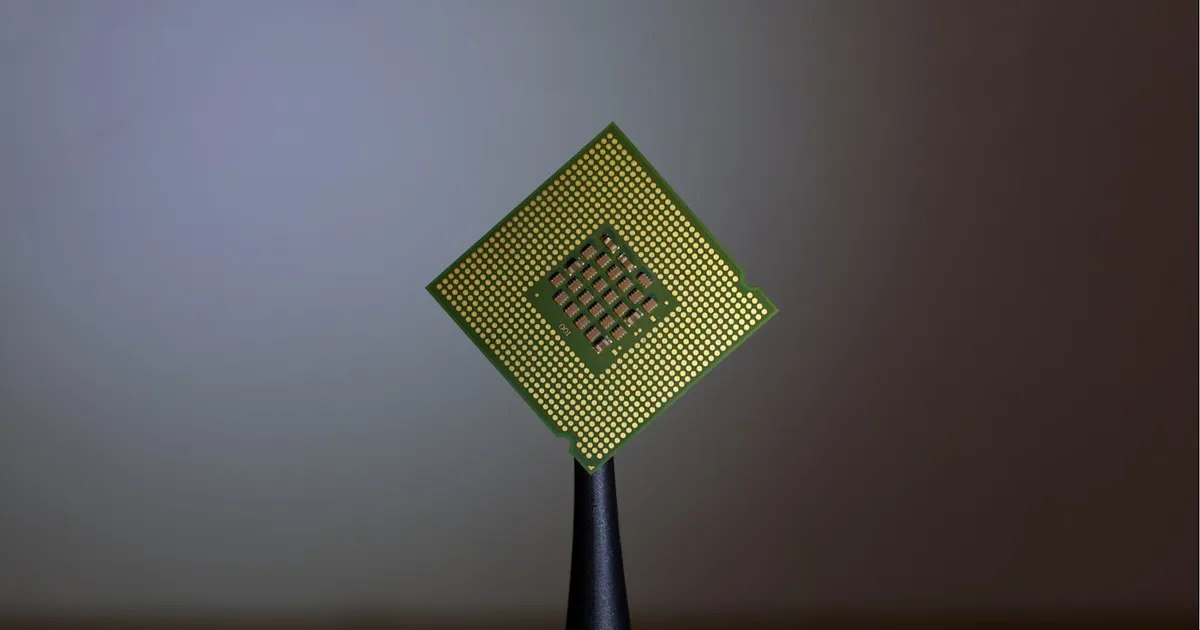
The Snapdragon X2 Elite is Qualcomm’s second swing at the Windows laptop, and it’s a much bigger jump than the name suggests. Against the original Snapdragon X Elite, the new family moves from 12 cores to as many as 18, from a 4.2 GHz ceiling to 5.0 GHz, from 45 to 80 NPU TOPS, and from TSMC’s 4nm process to 3nm — with Qualcomm claiming about 31% more CPU performance at the same power, or the same performance at up to 43% less power. The first laptops reached shelves in April 2026. Here’s what changed, spec by spec, and what it means if you’re choosing between generations.
X2 Elite vs. X Elite: the lineup, spec by spec
The first generation (X1 chips, in Qualcomm’s part numbering) topped out with the X1E-84-100. The second generation ships in three tiers, led by a new “Extreme” badge:
| X Elite (X1E-84-100) | X2 Elite | X2 Elite Extreme (X2E-96-100) | |
|---|---|---|---|
| CPU cores | 12 Oryon (gen 1) | 12–18 Oryon (gen 3) | 18 Oryon (12 Prime + 6 Performance) |
| Max boost | 4.2 GHz | up to 4.7 GHz | 5.0 GHz (single/dual core) |
| All-core | 3.8 GHz | ~4.0 GHz | 4.4 GHz |
| Cache | 42 MB | 34–53 MB | 53 MB |
| GPU | Adreno X1-85 | Adreno X2-85/X2-90 | Adreno X2-90 |
| NPU | 45 TOPS | 80 TOPS | 80 TOPS |
| Memory | LPDDR5x, 135 GB/s | LPDDR5x-9523, 152 GB/s | 192-bit on-package, 228 GB/s |
| Process | TSMC 4nm | TSMC 3nm | TSMC 3nm |
Two structural changes matter more than the clock speeds. First, the core layout: gen 1 used twelve identical cores, while the X2 splits into faster “Prime” cores and efficiency-oriented “Performance” cores, which is how it reaches 5 GHz without torching battery life. Second, the Extreme tier moves memory onto the package — up to 48 GB riding a 192-bit bus at 228 GB/s, roughly two-thirds more bandwidth than gen 1. That’s the same design direction Apple took with its M-series, and it pays off anywhere bandwidth is the bottleneck, including local AI workloads.
What the benchmarks say
Early reviews landed in April 2026, and the short version is that the marketing claims mostly survived contact with reviewers. The X2 Elite Extreme in ASUS’s Zenbook A16 posted single-core Geekbench scores around 3,800 — a class-leading result that beats Apple’s latest MacBooks in some tests and clearly outruns Intel’s newest Panther Lake flagship in early multi-core comparisons. Reviewers who measured efficiency found the more interesting story: the gen-3 Oryon cores deliver their performance at conspicuously low power, which is where Arm laptops are supposed to win.
The GPU takes a real step too. Qualcomm claims 2.3× the performance-per-watt of the first generation for the Adreno X2, and while integrated graphics still won’t worry a gaming laptop, the gap against Intel and AMD integrated GPUs narrowed noticeably. For what the NPU jump to 80 TOPS actually buys you, see what an NPU does — the short answer is more headroom for local AI features well past the 40 TOPS that Copilot+ certification requires.
The machines you can buy
The X2 wave started shipping in April 2026 after a CES unveiling:
- ASUS Zenbook A14 and A16 — the A16 pairs the Extreme chip with 48 GB of on-package memory and a 3K OLED panel for around $1,600–1,700; the A14 starts near $1,150.
- HP OmniBook Ultra 14 — X2 Elite configurations with up to 64 GB of RAM, from about $2,050.
- Lenovo Yoga Slim 7x (Gen 11) — from roughly $900, and notable for offering the cheaper X2 Plus tier, which extends the family below the Elite chips.
That price spread is the point: gen 1 launched mostly into premium ultrabooks, while gen 2 spans from about $900 to well past $2,000.
Should X Elite owners care?
If you’re weighing the Snapdragon X Elite vs. the X2 Elite from the owner’s side — should I upgrade? — the honest answer is that nothing here obsoletes a gen-1 machine. The gen-1 chips still clear the Copilot+ NPU bar, still deliver the battery life that made them interesting, and now benefit from two extra years of Windows on Arm maturity — which was always the platform’s real risk, not the silicon. Meanwhile, X1-based laptops are being discounted aggressively as the X2 wave arrives, which makes them the value pick if long battery life is the priority and peak performance isn’t.
Buy the X2 if you keep heavy multi-core work on battery — code builds, media export, large spreadsheets — or if you want the bandwidth headroom for running language models locally. The 18-core Extreme configurations are genuinely workstation-shaped in a 2.6-pound chassis.
The bigger picture
The X2 Elite is also no longer a lone bet. The same Oryon CPU line now anchors Qualcomm’s push into data center silicon, and the Hexagon NPU scaled up into its AI200 rack accelerators. Laptop chips are where these cores prove themselves in public first.
The takeaway
The X2 Elite is the generational leap the first chip promised: more and better-organized cores, a 5 GHz ceiling, nearly double the NPU, and — on the Extreme tier — Apple-style on-package memory at 228 GB/s. Qualcomm’s own numbers (31% faster at the same power, 43% less power at the same speed) held up well enough in April’s reviews to take seriously. Gen-1 laptops remain fine machines at their new lower prices; the X2 is the one to buy for sustained performance on battery, and the clearest sign yet that the Arm-on-Windows transition is now about software, not silicon.
Frequently asked questions
- Is the Snapdragon X2 Elite worth the upgrade over the X Elite?
- For most X Elite owners, no — gen-1 chips still clear the Copilot+ NPU bar and still deliver the battery life that made them attractive. The upgrade makes sense if you keep heavy multi-core work on battery or want the Extreme tier's memory bandwidth for local AI.
- How much faster is the X2 Elite than the X Elite?
- Qualcomm claims about 31% more CPU performance at the same power, or the same performance at up to 43% less power, and April 2026 reviews broadly bore that out — the Extreme tier posted class-leading single-core results around 3,800 in Geekbench.
- Can the Snapdragon X2 Elite run all Windows apps?
- Nearly all. Most popular software now ships native Arm64 builds and the Prism emulator covers the rest; the exceptions are kernel-level anti-cheat and driver-dependent tools. See Windows on Arm in 2026 for the full picture.
Tagged
Keep reading
 Chisato · · 4 min read
 Thermal Interface Materials Explained
Thermal interface material fills microscopic gaps between a chip and its heatsink so heat can actually transfer to the cooler.
Chisato · · 4 min read Clock Speed vs. IPC: What Actually Makes a CPU Fast
Clock speed measures cycles per second; IPC measures work done per cycle. Real CPU performance is the product of both, not either one alone.
 Chisato · · 4 min read
 UMA vs NUMA: Memory Architecture Explained
UMA gives every CPU core equal-latency memory access; NUMA gives each core faster access to its local memory bank. How the two architectures differ.