What Is Container Image Scanning?
Container image scanning checks a container's layers for known vulnerabilities and secrets before it ships. How it works and where to run it.

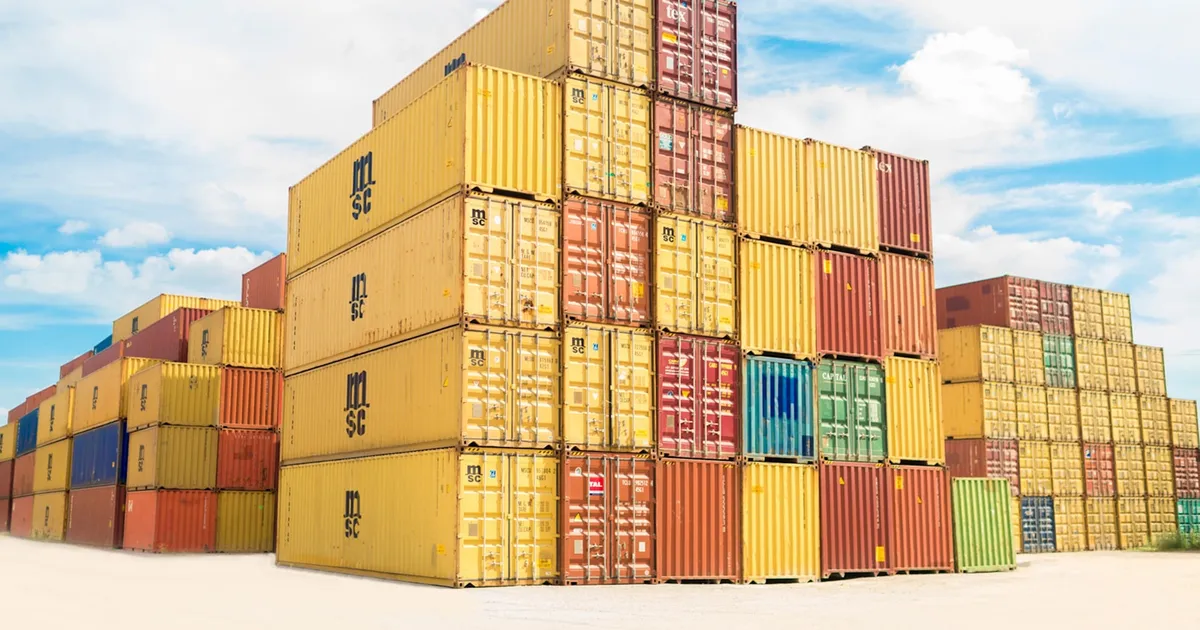
Container image scanning is the automated process of inspecting a container image’s contents — its base OS packages, application dependencies, and configuration — against databases of known vulnerabilities, before that image is deployed or even before it’s allowed into a registry. It’s how teams catch a vulnerable library baked into an image without manually auditing every package in every layer by hand.
Why images need scanning at all
A container image is built in layers, and each layer can introduce its own software: an OS base layer brings system packages, a dependency-install layer brings application libraries, and so on. Any of those packages can carry a publicly known vulnerability — tracked in CVE databases — that existed before the image was even built, simply because the base image or a dependency hadn’t been updated since the vulnerability was disclosed. Unlike a bug introduced by an application’s own code, this kind of risk is invisible in a code review; it only shows up by comparing what’s actually installed in the image against what’s known to be vulnerable.
This makes image scanning a form of software composition analysis specifically applied to the packaged artifact rather than to source code — related to, but distinct from, SAST and DAST, which analyze application code and running behavior rather than an image’s package inventory.
How scanning actually works
A scanner inspects an image and produces a list of every package and version present in it — effectively an inventory, closely related to a software bill of materials — and checks that inventory against vulnerability databases. Most scanners work by:
- Unpacking the image layers to read the filesystem contents without running the container.
- Identifying installed packages by reading OS package manager metadata (like
dpkgorrpmrecords) and language-specific dependency manifests (lockfiles,package.json,requirements.txt, and similar). - Matching packages and versions against vulnerability feeds, flagging any known CVE affecting an installed version.
- Reporting results, typically with a severity rating, so teams can prioritize what to fix first.
Beyond known-vulnerability matching, many scanners also check for embedded secrets (API keys or credentials accidentally baked into a layer), misconfigurations (a container running as root by default, an exposed sensitive port), and adherence to security best-practice benchmarks for the base image and runtime settings.
Where scanning fits in the pipeline
Scanning can run at several points, and mature setups typically run it at more than one:
- Build time, in CI. Scanning as part of the CI pipeline catches problems before an image is ever pushed anywhere, and can fail the build outright if a critical vulnerability is found — the cheapest point to catch and fix an issue.
- Registry level. Many container registries can scan images automatically on push and continuously re-scan stored images as new vulnerabilities are disclosed, which matters because an image that was clean when built can become vulnerable later if a new CVE is published against one of its packages.
- Runtime/deployment gate. Some environments enforce a policy that only images passing a scan (or with no vulnerabilities above a given severity) are allowed to actually be deployed, acting as a final gate independent of what CI already checked.
Running scans at multiple stages matters because an image’s risk isn’t static — new vulnerabilities get disclosed against existing package versions constantly, so an image that passed its build-time scan a year ago may fail the same scan today.
Comparing scanning stages
| Stage | Catches | Blocks deployment? |
|---|---|---|
| Build time (CI) | Known vulnerabilities and secrets before the image exists anywhere | Yes, typically fails the build |
| Registry (on push and periodic re-scan) | Newly disclosed vulnerabilities in already-stored images | Depends on policy — often alert-only |
| Deployment gate | Any image not meeting policy, regardless of when it was scanned | Yes, enforced at admission |
What scanning doesn’t catch
Image scanning is limited to what’s identifiable from the image’s static contents matched against known vulnerability data — it won’t find a vulnerability that hasn’t been publicly disclosed yet (a zero-day), and it won’t catch a logic flaw in your own application code, since that isn’t a “known vulnerable package” issue at all. It’s one layer of a broader software supply chain security practice, not a complete substitute for code review, dependency pinning, or runtime monitoring.
False positives are also common — a scanner may flag a package version as vulnerable even though the vulnerable code path is never actually exercised by the application, which is why most teams pair scanning with a triage process rather than treating every finding as equally urgent.
The takeaway
Container image scanning inventories everything installed inside an image and checks it against known vulnerability data, catching risk that comes from what’s packaged into an image rather than from the application’s own code. Running it at build time catches problems before they ship, but because new vulnerabilities are disclosed continuously against packages that haven’t changed, re-scanning stored images at the registry level and gating deployment on scan results both matter just as much as the initial build-time check.
Keep reading
 Chisato · · 4 min read
 Kubernetes Network Policies Explained
Kubernetes NetworkPolicies control which pods can talk to which, at the network layer. Here's how they work and why pods are open by default.
 Chisato · · 4 min read
 What Is Secrets Management?
Secrets management stores API keys, passwords, and certificates in a dedicated system instead of config files, with access control, rotation, and audit logs.
 Chisato · · 5 min read
 eBPF, Explained: Programmable Superpowers in the Linux Kernel
eBPF runs sandboxed programs inside the Linux kernel without recompiling it. How it works and why it reshaped observability, networking, and security.